Where it shows
A form shows where you put its block. A contact button can open a form from every page.
Your contact page
On Home, press Add it to my contact page. Then press Save in your theme.
Other pages
In the theme editor, add the Formlane form block to any page. Type the form's Short name in the block to pick which form shows. You find the short name in the form page.
A contact button on every page
- Open the form you want for the button.
- Under Contact button on every page, turn on Use this form for the button. Change the Button words if you like.
- Press Turn on the button. Your theme opens with the button on. Press Save.
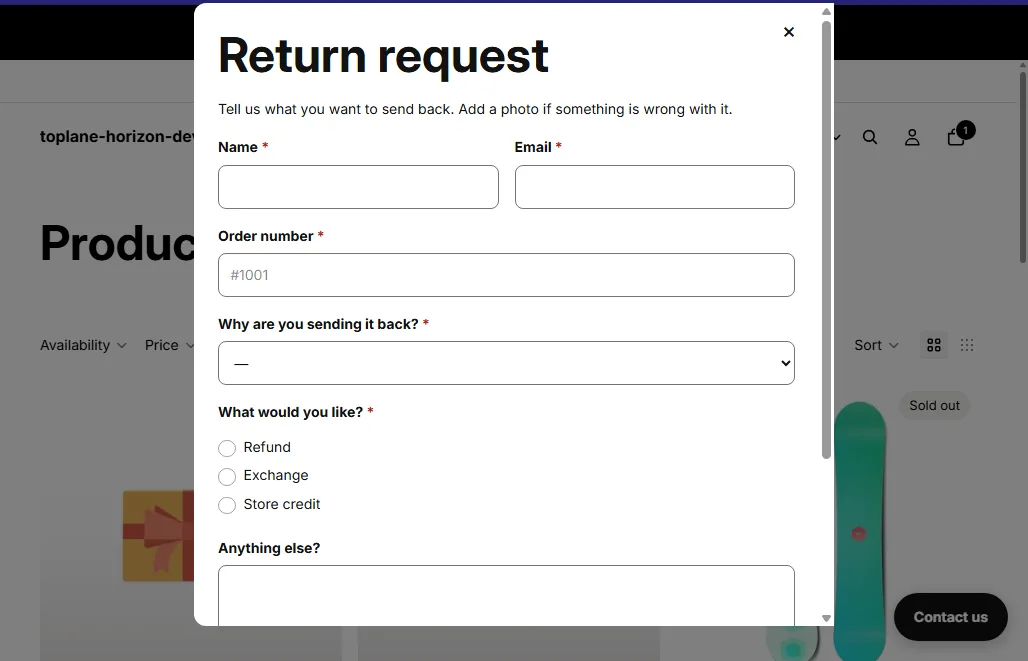
Every page now has a button. It opens the form in a box. Shoppers close it with the X or the Escape key.
How many forms
Up to 24 forms can be on your store at once.