Is my form showing?
Home looks at your store and tells you what it found.
| Note | What to do |
|---|---|
| Your form is live on your store. | Nothing. All is fine. |
| We can't see your form on your contact page yet. | Press Add it to my contact page. Then press Save in the theme. |
| Your store still shows an older form. | Wait up to 10 minutes. Then press Check again. |
| Your store has a password. | Press Check from my browser. Type the store password if asked, then press the button again. |
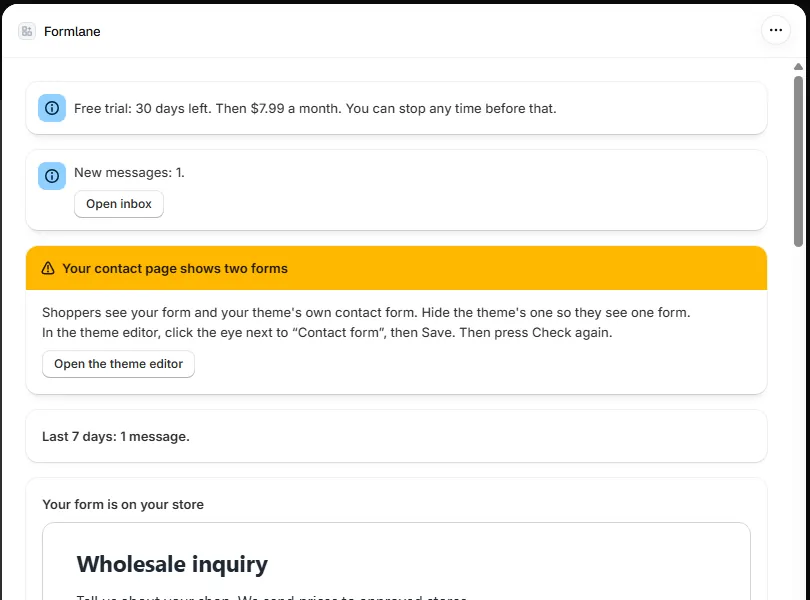
| Your contact page shows two forms. | Hide your theme's own contact form. See below. |
Two forms on the contact page
Many themes have their own contact form. Press Open the theme editor. Click the eye next to Contact form, then press Save. Then press Check again.
Your form is on another page
Type that page under Page with your form, like /pages/contact.